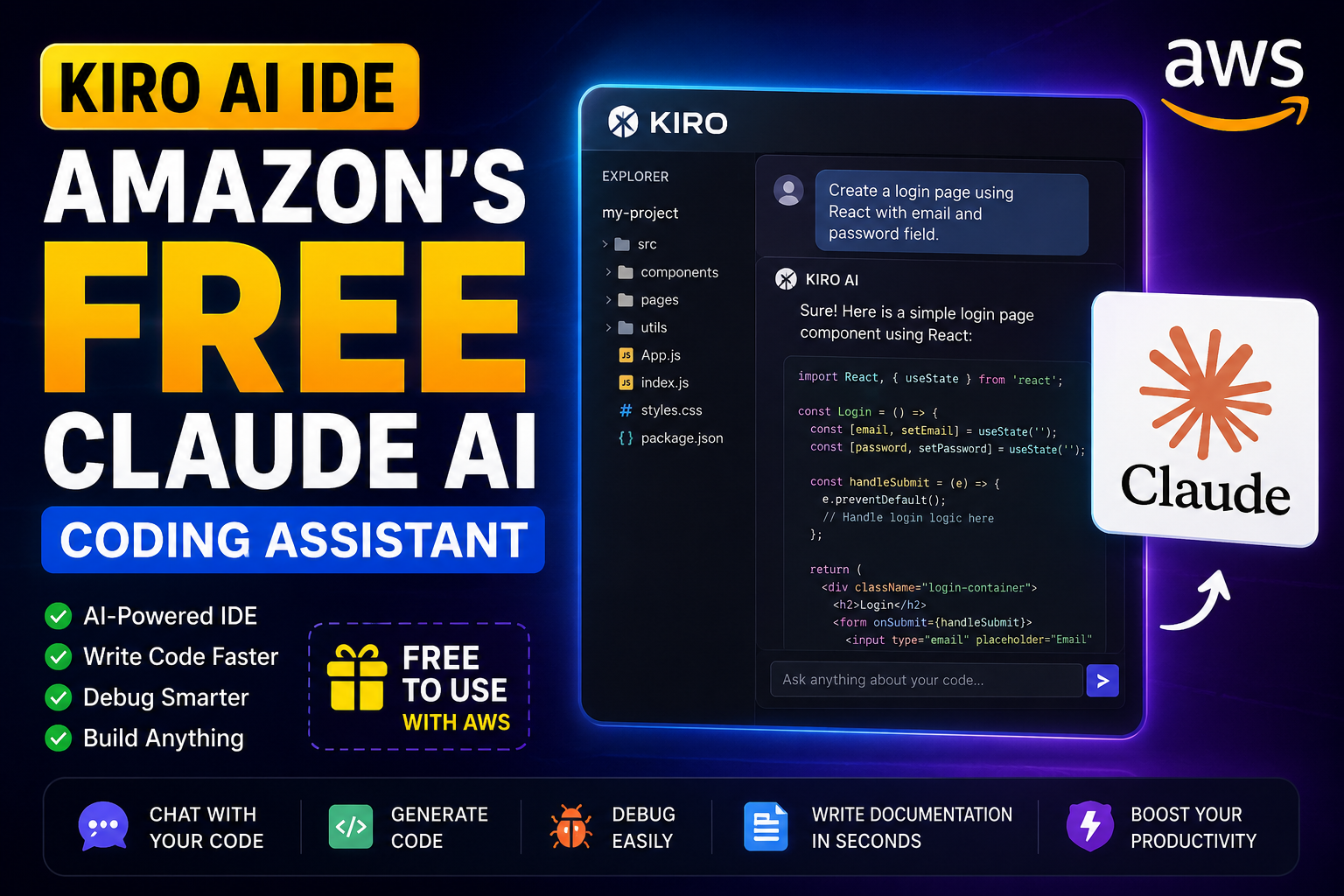
Kiro AI IDE Review 2026
Artificial Intelligence is changing software development faster than ever. Earlier, developers had to spend hundreds of dollars every year on premium AI coding assistants like Claude Pro, GitHub Copilot, or Cursor Pro. But now, Amazon has introduced Kiro AI IDE, an AI-powered development environment that gives developers access to Claude-powered coding assistance through its own platform.
If you’re a beginner, freelancer, student, or software developer, this guide will help you understand what Kiro is, how to install it, how to use it, and whether it’s worth using in 2026.
In this article, I’ll explain everything step by step in simple Hinglish so anyone can follow along.
What is Kiro AI?
Kiro is an AI-powered Integrated Development Environment (IDE) developed by Amazon Web Services (AWS). It is designed to make coding faster and easier by integrating AI directly into your workflow.
Instead of switching between your browser and your code editor, Kiro lets you ask questions, generate code, fix bugs, explain functions, and even build complete projects using AI inside the editor.
Think of it as a smart coding partner that understands your project and helps you write better code.
Why is Everyone Talking About Kiro?
The biggest reason is simple.
You can access Claude-powered coding assistance without purchasing a separate Claude Pro subscription (within Amazon’s available free usage limits).
This makes Kiro especially attractive for developers who want advanced AI assistance while keeping costs low.
Some key highlights include:
- AI-powered coding assistance
- Project understanding
- Code explanation
- Bug fixing
- Documentation generation
- Code refactoring
- Natural language prompts
- Modern VS Code-like experience
Who Should Use Kiro?
Kiro is suitable for almost everyone who writes code.
You can use it if you are:
- Beginner Programmer
- Web Developer
- React Developer
- Node.js Developer
- Python Developer
- PHP Developer
- Java Developer
- Flutter Developer
- AI Developer
- Shopify Developer
- WordPress Developer
- College Student
- Freelancer
Even if you’ve never used AI coding tools before, Kiro is beginner-friendly.
Step 1 – Create an AWS Account
Before using Kiro, you’ll need an AWS account.
If you already have one, simply sign in.
If not:
- Visit the official AWS website.
- Click Create an AWS Account.
- Enter your email address.
- Verify your email.
- Complete the account setup process.
- Sign in to your account.
Tip: Use an email address that you check regularly because AWS may send verification or security notifications.
Step 2 – Download Kiro
Once your account is ready:
- Open the official Kiro download page.
- Select your operating system.
- Download the installer.
- Install it just like any normal software.
Kiro currently supports common desktop platforms, making it accessible for most developers.
Step 3 – Sign In
Open Kiro after installation.
You’ll be prompted to sign in.
Choose the AWS login option and complete the authentication process.
Once signed in, your AI features become available according to your account’s access and usage limits.
Step 4 – Import Your Existing Project
You don’t need to create everything from scratch.
Simply:
- Click Open Folder
- Select your project
- Wait for indexing
Kiro analyzes your project and understands:
- Folder structure
- Files
- Components
- Dependencies
- Configuration
- Programming language
This project awareness helps it provide more relevant suggestions.
Step 5 – Start Chatting with AI
Now comes the fun part.
Inside Kiro, open the AI chat and type prompts such as:
- Create a login page using React.
- Build a Node.js API.
- Explain this function.
- Optimize this code.
- Fix this bug.
- Add comments to this file.
- Generate unit tests.
The AI responds directly inside the editor, reducing the need to copy and paste code between different tools.
Step 6 – Generate an Entire Project
One of the biggest strengths of Kiro is that it can help scaffold complete applications from natural language prompts.
For example, you can describe the kind of project you want, and Kiro can generate a starting structure with relevant files and code.
Remember, AI-generated code is a starting point. Always review, test, and customize it before using it in production.
Step 7 – Debug Errors Faster
Debugging can consume a lot of development time.
With Kiro, you can:
- Paste error messages
- Ask what caused the issue
- Request possible fixes
- Learn why the error occurred
Instead of only receiving a solution, you can also understand the reasoning behind it.
Step 8 – Refactor Existing Code
If your code has become difficult to maintain, Kiro can suggest cleaner alternatives.
Examples include:
- Simplifying long functions
- Improving readability
- Removing duplicate logic
- Organizing code
- Renaming variables more clearly
Review the suggested changes before applying them.
Step 9 – Generate Documentation
Documentation is often overlooked, but it’s important for long-term maintenance.
Kiro can help create:
- README files
- Function descriptions
- API documentation
- Inline comments
- Project overviews
Good documentation makes collaboration much easier.
Best Prompt Examples
Here are some practical prompts you can try:
- Build a responsive landing page using HTML, CSS, and JavaScript.
- Create a React dashboard with a sidebar and charts.
- Explain this SQL query.
- Convert this JavaScript function into TypeScript.
- Optimize this Python code for better performance.
- Add authentication using JWT.
- Generate REST APIs.
- Write unit tests for this component.
- Improve code readability.
- Find possible security issues in this file.
The clearer your prompt, the better the AI’s output.
Advantages of Kiro
Here are some reasons developers are excited about it:
- Beginner-friendly interface
- AI integrated into the IDE
- Natural language coding assistance
- Helpful explanations
- Faster debugging
- Code generation
- Documentation support
- Project-aware suggestions
- Modern editing experience
Things to Keep in Mind
Like any AI tool, Kiro isn’t perfect.
Keep these points in mind:
- AI can make mistakes.
- Always test generated code.
- Review security-related changes carefully.
- Don’t rely on AI for every decision.
- Learn the concepts behind the code instead of copying blindly.
Using AI responsibly will help you grow as a developer.
Is Kiro Better Than Other AI Coding Tools?
The answer depends on your workflow.
If you’re already comfortable with another editor, you may prefer to stay with it.
If you’re looking for an AI-focused development environment with Claude-powered assistance available through Amazon’s ecosystem, Kiro is definitely worth exploring.
Many developers appreciate having AI integrated directly into the coding experience rather than constantly switching between multiple applications.
Frequently Asked Questions (FAQs)
Is Kiro free?
Kiro offers a free usage tier. Availability and usage limits may change over time, so check the latest details in the official documentation.
Do I need to buy Claude Pro?
Not necessarily. Kiro provides Claude-powered assistance through Amazon’s platform within its supported access model and usage limits.
Can beginners use Kiro?
Yes. Its interface is beginner-friendly and suitable for learning as well as professional development.
Which programming languages are supported?
Kiro can assist with many popular languages, including JavaScript, TypeScript, Python, Java, PHP, C#, Go, and more.
Is Kiro good for web development?
Yes. It can help with front-end, back-end, APIs, debugging, documentation, and project setup.
Final Thoughts
Artificial Intelligence is becoming an essential part of modern software development, and Kiro is one of the newest options worth exploring.
Whether you’re building websites, mobile apps, APIs, SaaS products, or learning to code, an AI-powered IDE can save time and help you understand code more effectively.
However, remember that AI is a tool—not a replacement for learning. The best results come from combining AI assistance with your own understanding, testing, and problem-solving skills.
If you’re curious about AI-assisted coding, Kiro is a great platform to explore and experiment with.
Happy Coding!