“Do I need GST to sell online?” is the first question almost every new seller in India asks — and the internet is full of half-answers. The real answer depends on what you sell, where you sell it and how much you sell. Here is a plain-English guide to GST registration for online sellers in 2026.
This guide breaks down who needs GST registration, the small-seller exemption that many people don’t know about, and how to apply for free on the government portal.
GST registration thresholds: the basic limits
For normal businesses, GST registration becomes compulsory once your yearly turnover crosses:
- ₹40 lakh for businesses selling goods (₹20 lakh in some special-category states)
- ₹20 lakh for businesses providing services (₹10 lakh in some special-category states)
But online selling has its own rules.
Rule 1: Selling goods on Amazon, Flipkart, Meesho and other marketplaces
Under the GST law, people who sell goods through an e-commerce operator (a marketplace that collects payment for them) have traditionally needed GST registration regardless of turnover.
The small-seller exemption (since October 2023)
From 1 October 2023, the rules were relaxed for small sellers. You can sell goods through marketplaces without GST registration if:
- Your total turnover is below the threshold (₹40 lakh for goods in most states), and
- You sell only within your own state (intra-state supply).
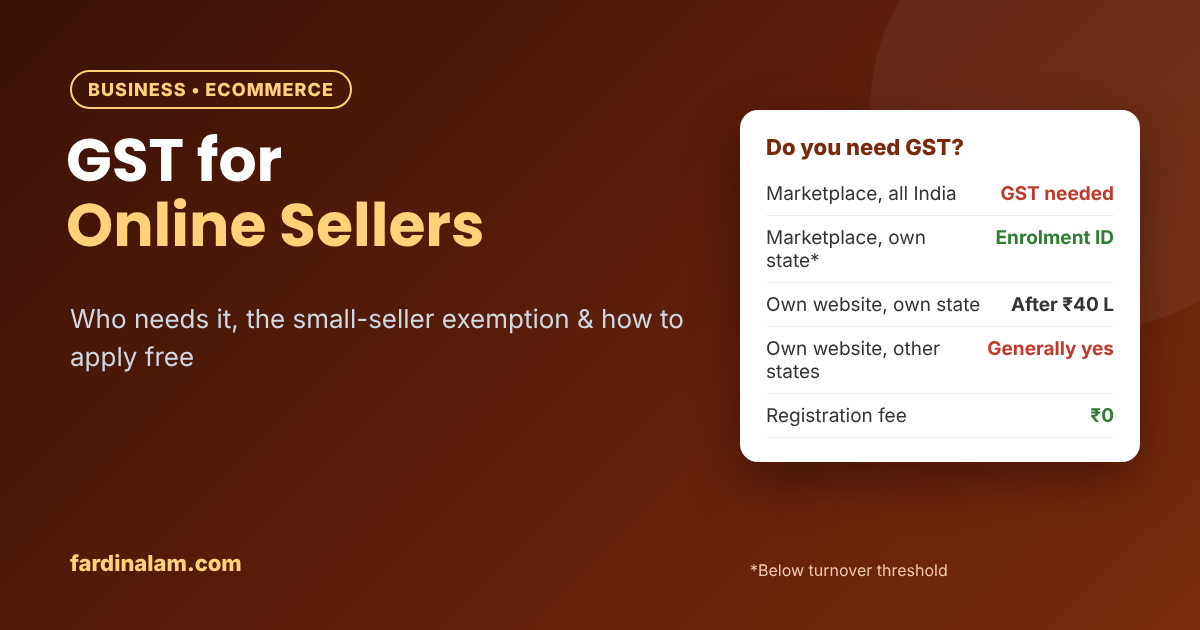
Instead of a GSTIN, you get an Enrolment ID on the GST portal using your PAN, and share it with the marketplace. Platforms like Meesho opened up to non-GST sellers after this change, showing their products only to buyers in the same state. That single rule decides whether GST registration is compulsory for you.
The catch: the moment you want to sell to customers in other states — which is where most online demand is — you need full GST registration.
Rule 2: Selling on your own website or Instagram
If you sell through your own Shopify/WooCommerce store, Instagram or WhatsApp and collect payment yourself:
- Within your state only: GST is needed once your turnover crosses the normal threshold (₹40 lakh for goods in most states).
- Shipping to other states: making inter-state supplies of goods generally requires GST registration, even with a small turnover.
- Selling services (like courses, design or consulting): the ₹20 lakh threshold applies in most cases.
Quick summary table
| How you sell | GST registration needed? |
|---|---|
| Goods on marketplaces, all over India | Yes, from the start |
| Goods on marketplaces, only within your state, turnover below threshold | No — use an Enrolment ID instead |
| Goods on your own website, only within your state | Only after crossing ₹40 lakh (most states) |
| Goods on your own website, to other states | Generally yes, from the start |
| Services (online or offline) | After crossing ₹20 lakh (most states) |
Always confirm your specific case with a CA, especially if you sell both goods and services, sell in special-category states or are close to a threshold.
What is TCS, and why do marketplaces deduct it?
If you’re registered and sell on marketplaces, the platform deducts a small TCS (Tax Collected at Source) from your payouts — currently 0.5% of the net taxable value. It isn’t an extra cost: it shows up in your GST account, and you can use it to pay your GST liability or claim it back. Remember to check and accept it on the portal while filing.
Documents needed for GST registration (sole proprietor)
- PAN of the proprietor
- Aadhaar of the proprietor (linked to mobile for OTP)
- Passport-size photograph
- Proof of business address — electricity bill, rent agreement or property tax receipt (plus a no-objection letter from the owner if it’s rented or a family property)
- Bank account proof — cancelled cheque, passbook first page or bank statement
- Mobile number and email ID
Partnerships, LLPs and companies need additional documents such as the partnership deed or incorporation certificate.
How to apply for GST registration (step by step)
- Go to the official portal gst.gov.in → Services → Registration → New Registration.
- Fill in Part A: state, business name, PAN, email and mobile. Verify with OTPs to get a Temporary Reference Number (TRN).
- Log in with the TRN and complete Part B: business details, promoter details, place of business, goods/services you deal in (HSN/SAC codes) and bank account.
- Upload your documents (PDF/JPEG within the size limit shown on the portal).
- Choose Aadhaar authentication — it usually speeds up approval and may avoid a physical verification.
- Verify with OTP or DSC and submit. You’ll get an Application Reference Number (ARN) to track your application.
- If the officer raises a query, reply within the time given. Once approved, your GSTIN and registration certificate are issued online.
Government registration is free. Paying a CA is optional — useful if your case is complex.
What you must do after registering
- File returns on time — usually GSTR-1 (sales) and GSTR-3B (summary and tax payment). Small taxpayers can opt for quarterly filing under the QRMP scheme.
- File even when you have zero sales — a NIL return is still required, and late fees apply if you miss it.
- Issue proper invoices with your GSTIN on every sale from your own website.
- Keep records of purchases, sales and marketplace settlement reports.
Missed returns can lead to late fees, interest and even suspension of your GSTIN — which can freeze your marketplace account. Set calendar reminders or use an accounting app. Keep this in mind before you start your GST registration.
Before you apply, however, always check the latest rules yourself. For example, the official GST portal lists current forms, and its help section explains each step. Also, rules can change with GST Council decisions, so confirm thresholds before you file.
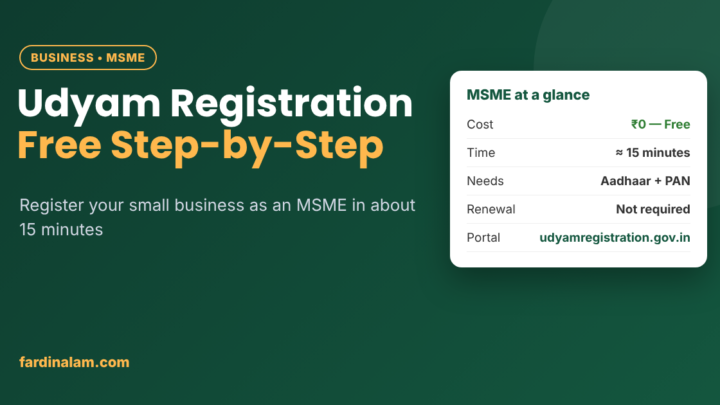
If you are just setting up, then also read our free Udyam (MSME) registration guide. Besides that, our Diwali selling guide for small sellers covers how to prepare your store for the festive rush.
GST registration for online sellers: FAQs
Can I sell on Meesho without GST?
Yes, if you sell only within your own state and your turnover is below the threshold, using an Enrolment ID. To sell across India, you need GST registration.
Is GST registration free?
Yes. Registration on gst.gov.in costs nothing. Only professional help, if you choose it, has a fee.
How long does GST registration take?
With correct documents and Aadhaar authentication, it often takes about a week. Queries from the officer can add more time. Keep your documents ready, because a clean application makes GST registration much smoother.
Do I need GST to sell on Instagram?
If you sell goods only within your state, not until you cross the threshold. If you ship to other states, you generally need it from the start.
Can I cancel GST later if my business stops?
Yes. You can apply for cancellation on the GST portal, but you must file any pending returns first.
The bottom line on GST registration
If you’re just testing a product in your own state, the small-seller exemption lets you start without GST. If you want to sell across India — on marketplaces or your own store — get registered early, file on time and treat GST as part of running a real business.
Disclaimer: This article is for general information only and is not tax or legal advice. GST rules, thresholds and rates change from time to time and can differ by state. Please consult a Chartered Accountant or check the official GST portal (gst.gov.in) for your specific situation.


2 Comments