If you run a small business in India — a shop, a home business, a freelance service or an online store — one free registration can open the door to cheaper loans, government schemes and faster payments from big buyers. It’s called Udyam Registration, and you can do it yourself online in about 15 minutes. This guide walks you through Udyam registration in 2026, from eligibility to the final certificate.
In short, this guide explains what it is, who should get it, and exactly how to apply — without paying an agent.
What is Udyam Registration?
Udyam Registration is the official registration for Micro, Small and Medium Enterprises (MSMEs) under the Ministry of MSME, Government of India. When you register, you get a permanent Udyam Registration Number (URN) and a digital certificate that proves your business is a recognised MSME.
Key facts:
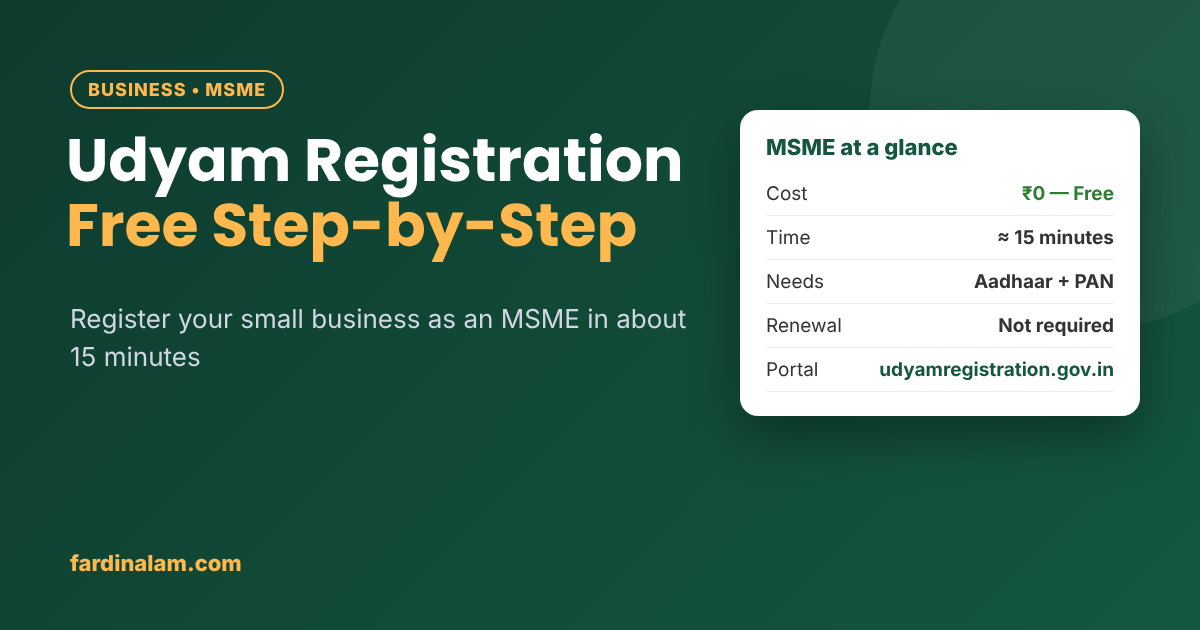
- It’s completely free on the official portal: udyamregistration.gov.in
- It’s paperless — based on Aadhaar and PAN, with no documents to upload in most cases.
- It’s a one-time registration with no renewal.
Who can register? (MSME limits)
Any business that manufactures goods or provides services can register, including sole proprietors, partnerships, LLPs and companies, as long as it fits these limits:
| Category | Investment in plant & machinery/equipment | Annual turnover |
|---|---|---|
| Micro | Up to ₹2.5 crore | Up to ₹10 crore |
| Small | Up to ₹25 crore | Up to ₹100 crore |
| Medium | Up to ₹125 crore | Up to ₹500 crore |
(These revised limits apply from 1 April 2025. Check the Udyam portal for the latest classification.) That is exactly why Udyam registration is worth the 15 minutes.
Most freelancers, home businesses and small online sellers fall in the Micro category.
Benefits of Udyam Registration
- Easier and cheaper loans: MSME lending is a priority sector for banks, and many loan and credit-guarantee schemes (like CGTMSE for collateral-free loans) target registered MSMEs.
- Protection against late payments: Under the MSMED Act, buyers must pay registered micro and small enterprises within the agreed time (and not more than 45 days). If they delay, you can file a case on the government’s MSME Samadhaan portal.
- Government schemes and subsidies: Many central and state schemes, tenders and trade-fair subsidies ask for an Udyam certificate.
- Benefits in government tenders: Registered MSMEs often get exemptions such as earnest money deposit waivers in public procurement.
- Credibility: A government-recognised certificate helps when dealing with banks, large clients and marketplaces.
Documents and details you’ll need
You don’t need to upload documents, but keep these ready:
- Aadhaar number of the owner (proprietor), managing partner or director — linked to a working mobile number for OTP.
- PAN of the proprietor or the business.
- GSTIN, if your business has GST registration (not mandatory for everyone).
- Bank account details — account number and IFSC.
- Business details — name, address, date of starting, type of activity.
- NIC code — the code that describes your business activity (you can search and select it on the form).
- Number of employees, and your investment and turnover figures (the portal auto-fetches these from PAN/GST records where available).
Step-by-step: How to apply for Udyam Registration
- Open the official portal: go to udyamregistration.gov.in and click “For New Entrepreneurs who are not Registered yet as MSME”.
- Verify Aadhaar: enter the Aadhaar number and the name as on Aadhaar, give consent, and verify with the OTP sent to your registered mobile.
- Enter PAN details: choose your type of organisation (proprietorship, partnership, company, etc.) and enter the PAN. The system validates it and fetches your tax details.
- Fill in business information: enterprise name, address of your business unit(s), official address, date of starting, mobile and email, and bank details.
- Select your NIC code: choose whether you’re in manufacturing or services, then search and add the codes that match your activity. You can add more than one.
- Add employees, investment and turnover: enter the number of employees. The portal takes investment and turnover from your ITR/GST data where available; otherwise, enter them yourself.
- Submit and verify: check every detail, accept the declaration and submit with the final OTP.
- Get your certificate: you’ll receive your Udyam Registration Number, and the portal emails you the certificate. You can also download it anytime from “Print/Verify” → “Print Udyam Certificate”.
Common mistakes to avoid
- Paying a “consultant” website. Many websites look official and charge ₹1,000–₹5,000 for something that’s free. The only official portal is udyamregistration.gov.in.
- Choosing the wrong NIC code. Your code should match what you actually do — it affects which schemes you’re eligible for.
- Registering twice. One PAN can have only one Udyam registration. Add new activities or units by updating your existing registration.
- Not updating details. If your address, bank account or activity changes, update it on the portal using your URN.
Already have Udyog Aadhaar?
Since July 2020, Udyam Registration has replaced the old Udyog Aadhaar (UAM) registration. If you have one, migrate it on the Udyam portal using the option for those already registered under UAM, then verify with OTP and update your PAN and other details.
Before you start, however, make sure you use only the official website. For example, the government’s Udyam Registration portal is completely free, whereas many look-alike sites charge a fee for the same form. Also, never share your Aadhaar OTP with an agent you don’t trust.
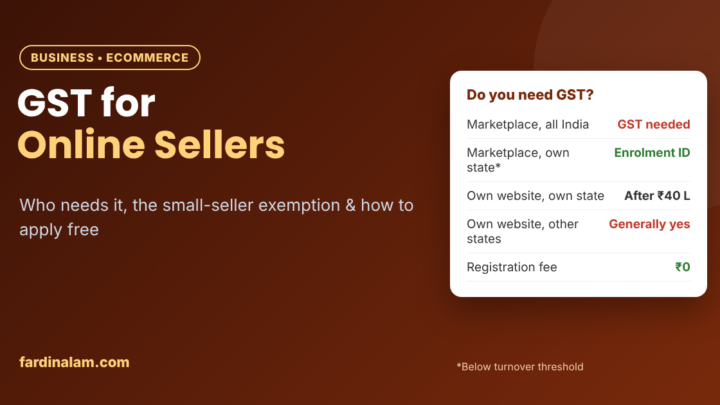
If you sell online, then read our guide to GST registration for online sellers next. Besides that, a healthy credit profile helps with business loans, so see how to check and improve your CIBIL score.
Udyam registration: frequently asked questions
Is Udyam Registration free?
Yes. It’s completely free on udyamregistration.gov.in. There’s no government fee. Keep these details handy, because Udyam registration only asks for them once.
Do you need GST registration for Udyam?
No, GST is not mandatory for Udyam. But if your business legally needs GST, you must provide the GSTIN.
Can a freelancer or home business register?
Yes. Freelancers and home-based businesses can register under services with the right NIC code, as long as they fit the MSME limits.
Does Udyam Registration expire? Avoid these slips, and your Udyam registration will go through on the first try.
No. It’s a permanent, one-time registration. You only need to update it if your details change.
How long does it take to get the certificate?
You usually get the Udyam number right after submitting. After that, the portal generates the certificate digitally and usually emails it within a short time.
The bottom line on Udyam registration
Udyam Registration costs nothing, takes about 15 minutes and gives your small business real advantages — easier loans, protection against late payments and access to schemes. Keep your Aadhaar-linked mobile, PAN and bank details ready, use only the official portal, and register today.
Disclaimer: This article is for general information only. Rules, limits and benefits can change — always check the official Udyam portal and the Ministry of MSME website for the latest details.


1 Comment